Security at one cost: your time.
A thousand years ago, there was a cooking show on TV called Chef Tell (real name: Paul Friedman Erhardt). My teenage kids and I enjoyed watching him for just four words he would say, after making something too complex for any of us to bother with. In his thick German accent, he would say “Vewy simple, vewy ee-see.” When, again, it was not. So whenever something complicated needed to be done, one of us would say, “Vewy simple, vewy ee-see.”
I bring this up because I want tech support to be like Chef Tell. For example, today, when I mostly failed to solve an email problem. What follows is a diary of what I’ve been through on this thing.
The primary email app on my laptop (a 2023 M2 MacBook Pro) is Apple’s Mail.app. It’s not ideal, but I like it better than Thunderbird and Outlook. I use it for five email accounts: my main one with Searls.com, my gmail one for Google stuff one can’t avoid, the Apple one a customer gets anyway (actually three, ending in .me, .mac, and .icloud), my Indiana University one, and a new one just for MyTerms stuff. That last one is hosted by Fastmail.
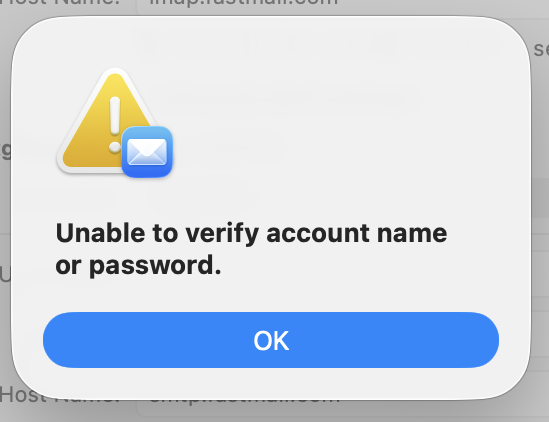
So one day the MyTerms email account on Fastmail account stopped working. The password and login work fine with the Fastmail app, and with Fastmail’s webmail on a browser. But not with the Mac app. Working with our MyTerms.info admin person, I generated and tried some number of new passwords, made sure the logins, the TLS, and the ports were all correct. No soap. So we concluded, at least provisionally, that the problem must be with Apple’s Mail.app. I then spent most of this afternoon on three calls with AppleCare, not taking to one human being. Apple seems to have nothing but AI agents now. (Not true, but I’ll cover that in another post.) The final advice from the final robot was to contact Fastmail.
For guidance toward that, I went to the Fastmail app, and saw an email from Fastmail. It said,
The above login failed because your regular password doesn’t work with third-party apps. This keeps your account secure. Instead, you can make a unique app password to use your account with the app securely.
Your regular password can be used to create new users, change your settings, or cancel your account. It’s important to protect this, which is why it can only be used to log in to fastmail.com and the Fastmail app.
We offer setup guides for most popular e-mail clients, such as Outlook and Mac Mail. These will take you through making an app password and using it for client login, step-by-step. Go to Settings → Migration to get started with a guide.
The first link there took me to a page that says.
Every third-party program or app needs its own app password to access your information. For the Fastmail app, you need to use your normal password. If you use your normal password or your Fastmail two-step verification password on an external account, syncing to an external service won’t work and you will see a password error.
This led me into a maze of instructions for setting up two-factor authentication that required an authenticator app on my phone. Fortunately, I know what that is, because Indiana University requires the one called Duo for doing the two-factor dance with its email maze.
After I got Duo set up, I still didn’t have an app password. I found a clue for that on another page that said this (among much else):
If your app password is for an Apple device running iOS 11+, you can use the QR code to automatically set up your email on your mobile device. Please note that the link provided via the QR code can only be opened via the Safari browser. Through Safari, you should then be able to download the auto-configuration file to your device. Our Help Center has help pages with more information on Apple auto-configuration for based on your device’s iOS.
The help page opens on every app I have other than Safari.
Under Automatic setup tool on one of the Fastmail help pages, it has nine steps one must go through. Somewhere in there, I got to the New App Password page, where it said, under Setting up this Mac,
Open this configuration file to set up everything automatically. Learn more.
I clicked on the “Open this configuration file” link, which downloaded a file to my downloads folder. Clicking on it brought up a little window that said,
**Profile downloaded.
**Review the profile in System Settings if you want to install it. [OK]
I hit OK. But where would it be in System Settings? Digging around in Fastmail, something said I would find the profile in General—>Device Management.
It was there. Among other things, it said “Double-click to review.” This brought up a window that said Are you sure you want to install this profile? So I hit “Install…” and it seemed done. Above it, next to “Work or School Account,” a button said “Sign In…”. This brought up a window that said Sign in to a Work or School Account. Above my email it said “Your email address will be sent to Apple to check device management enrollment eligibility.” In blue, it said “Learm more about device management…” Clicking on that brought up a window with a lot of words that I got rid of by hitting OK, so I was back to the last window, where there were buttons for Cancel and Continue. I hit Continue.
This got me to
Sign in with your managed Apple Account.
Enter the password for your Apple Account (the email address) provided to you by your organization.”
The password was back at my Fastmail app, under “Your new password for Apple Mail.app is::”
I copied it and pasted in the field in the Sign in window and hit Next. This turned the window into a wider one that said, in red,
Your Apple Account does not support the expected services on this device. Contact your administrator to sign in.
My administrator is in London., where it is now 1am.
I’m giving up now.
Lost patience rates may apply
One of the biggest reasons I own Apple stuff is that AppleCare seems to care. They have human beings for that. I’ve been using them since the service first showed up in 2001, along with Apple Stores and their Genius Bars. The agents on phones have always been helpful. They differed a lot in levels of expertise, but on the whole were very good.
But now I only get AI agents. This has led me to wonder if they are replacing humans with AI agents. But I don’t know. They are recruiting service and support people. But not for front-line triage work, they’re using AI agents. Interesting that every one has a different voice. And in some cases they have been helpful. But not today. The one time the AI agent said they would forward my call to a person, I got about a minute of silence and then the call dropped. An Apple robot did call back, but I had given up at that piont.

Leave a Reply