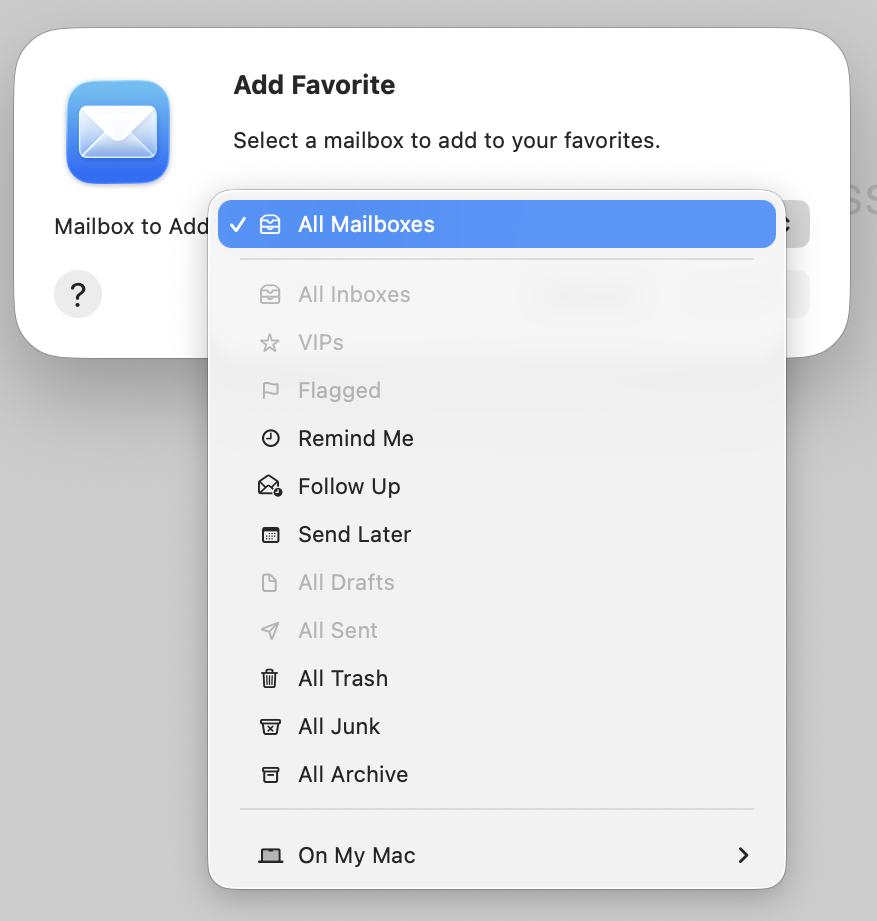
My wife’s Mac laptop has ‘All Sent’ listed under ‘Favorites’ in the left panel of her Apple Mail app. Everywhere my Big AIs and I looked online, however, we didn’t see a way to add it, until ChatGPT suggested I mouse over the Favorites heading to see what appears. The two items that showed up were a folder icon next to a down (v-shaped) symbol for collapsing the list below. When I clicked on the folder icon, I got the window above. ‘All Sent’ was among the choices under the pop-down menu. When I clicked on that, it was added to my Favorites and grayed out in the menu. So now this small instruction is out there for search engines to find and for the AIs to notice as well. Hope it helps other people looking for the same thing.
BTW, there were other choices above On My Mac in the menu above, but they were all personal items I don’t want to share. The point is still clear.


Leave a Reply