I hit a storage crisis yesterday when I needed to copy a lot of fresh photos to my laptop’s hard drive, and it was clear that I would soon run out of room there.
The laptop is a 16-inch 2023 M2 MacBook Pro with an 8TB hard drive—the most loaded and maxed-out computer I could get at the time. On it, I keep most of my life’s digital work, going back to the early ’90s, including a zillion photos and a smattering of videos, though some of them are large. Externally, I have—
- a small portable Sandisk 4TB SSD for movies
- an 8TB WD Elements external drive for offloaded archives
- a 16TB Unionsine external drive serving as my maxed-out Time Machine.
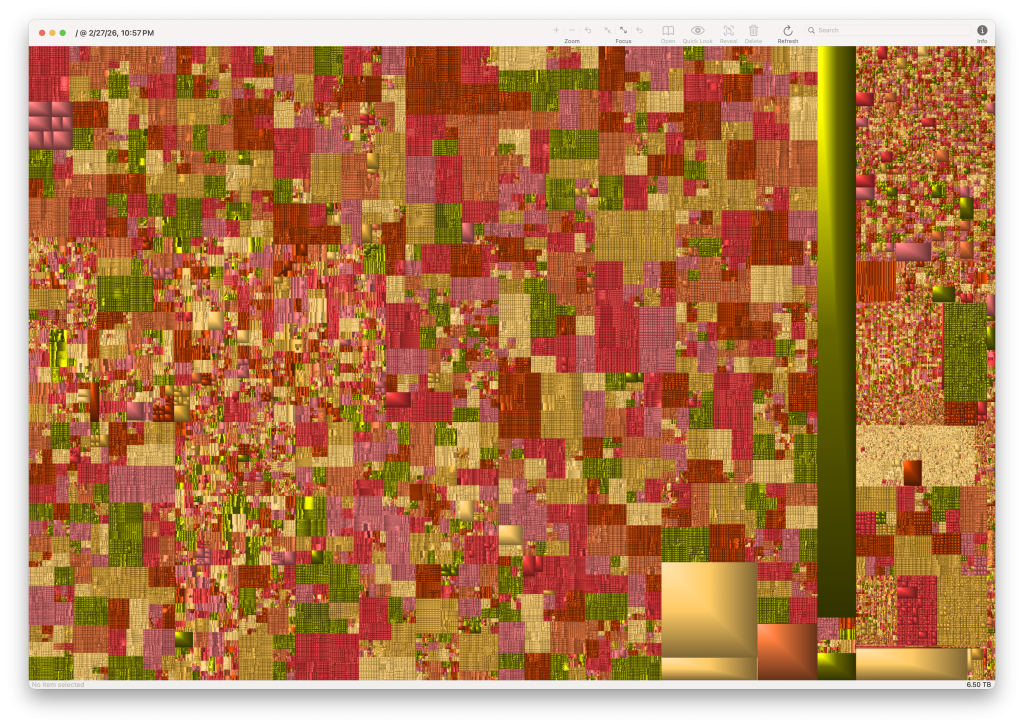
I started dealing with the problem by offloading some videos still on the main drive to the movie drive. After that, I erased the videos on the main drive to clear space, but discovered that the move had failed (I was tired, and my vision hasn’t fully recovered from cataract surgery), so I needed to restore all of the erased videos to the main drive from the Time Machine. I could see where they had been on the main drive because I had created a GrandPerspective tree map visualization of my drive contents before the move. That’s what you see above.
[Later: I just discovered that I had my old 4TB portable drive, formerly devoted to movies still hooked up. It was to that drive that I offloaded the videos, thinking they were going to the new Sandisk 4TB SSD, to which the contents of the old movie drive had already been moved.]
I’ve moved them again, along with a lot of other .mov, .avi, and .mp4 files, but I’m still left with less than one TB of open storage space on the laptop. But that’s enough to hold me for a while.
Meanwhile, I am thinking about how I want to expand archiving and backup. So, a situation analysis.
First, I’m 78. So I need my archives to be easily navigated by my heirs and others who value my life’s work. I need to name my directories, files, and drives in ways that make their contents obvious and navigable.
This I have mostly done, at least for my photos and videos. The directory structure and file names for my photos are simple and easy to navigate. For photos, the directory is called photos-by-year, and every directory path goes YYYY/MM/DD/subject (named by date: YYYY_MM_DD_subject). Every photo in folders at the ends directory paths is named YYYY_MM_DD_subject_###.jpg, .png, or RAW file type (CR2 for Canon photos and ARW for Sony).
Most of my videos are now on the external drive, where my iMovie library also lives. My writing is less organized, but fixable.
Second, it’s clear by now that Apple will not offer storage larger than 8TB on its laptops. In three years they have gone from M1 to M6 CPUs without raising the ceiling on storage. This sucks, because I would like to work on my whole photo collection on one drive, internal or exteral. So 8TB is all I will ever have to work with, even if I get a newer laptop. So I need to look at external drive options and configurations.
Right now, I am leaning toward getting a SanDisk 8TB Extreme Portable SSD, which is $1067 at Amazon, just for most of my photos. I’ll leave the rest on my laptop drive,. For a Time Machine, I’m looking at this 30TB drive for $919. I’ll back up all three drives on that one.
That’s just to get me out of my current mess.
Of course, I want more than one backup. Not sure what to do there yet. So I invite advice.


Leave a Reply to Doc Searls Cancel reply